Showing posts with label #FTM. Show all posts

Tuesday, December 26, 2023

Week 52: Me, Myself, and I (52 Ancestors in 52 Weeks - 2023 Version)

The last theme for 2023 is "Me, Myself, and I." You are a part of your own family history. This week, write something about yourself. What do you hope future generations will know about you? Click here to see all the past themes for 2023. Check out the upcoming themes for 2024.

It is difficult to talk about oneself. Plus, in this day an age, I don’t want to give out too much personal information about myself. This is one reason that genealogy sites like Ancestry, make living people private.

I am the youngest of nine children. I come from a blended family. My mother’s first husband died and left her a widow with six children. She married my dad and had three more, with me being the absolute youngest.

I remember in grade school; many people did not understand half-siblings and would try to correct me and tell me my siblings were my step-siblings. On TV, the only blended family I recall was the Brady Bunch and they were step-siblings. 

Anyway, I was born in Beaver Dam, Wisconsin and before turning two, my family moved to the nearby town of Fond du Lac, Wisconsin because Kiekhaefer Marine, which my father worked for, relocated from Beaver Dam to Fond du Lac. Kiekhaefer merged with the Brunswick Corporation and became known as Mercury Marine in 1972. 

My family took camping trips every summer for about 3 weeks. We traveled all over the United States and to Canada too. This is when I started to like history, especially the Civil War. My introduction to genealogy was from a middle school social studies class assignment. Shortly afterwards, the Roots mini series came on TV and I was fascinated on how he figured out his Roots.
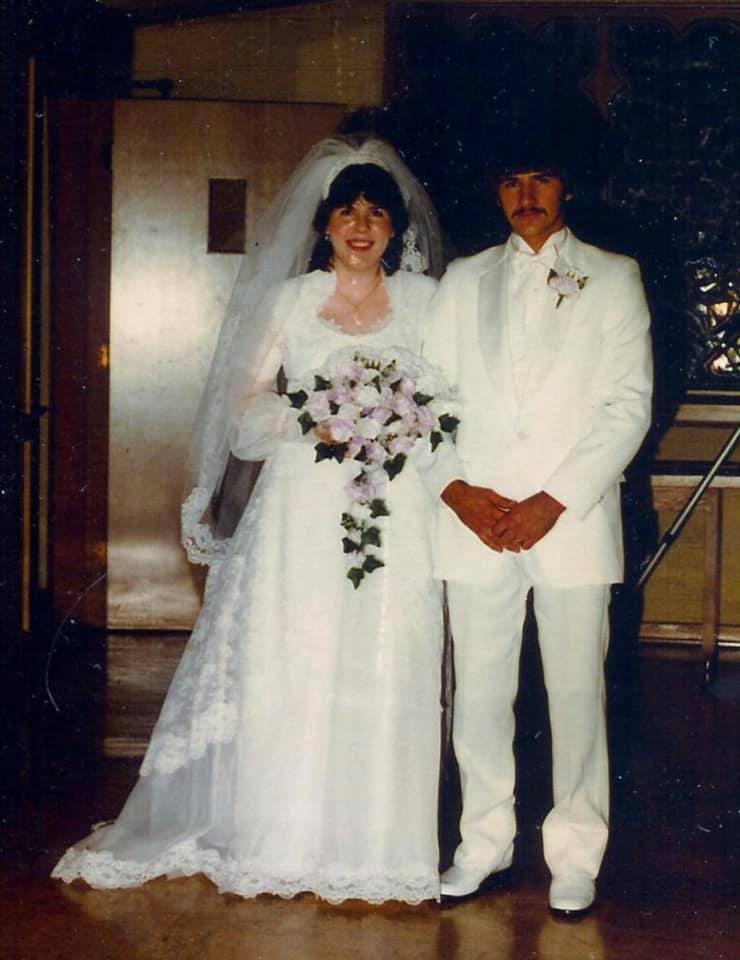
I married two years after high school and started my family. After two children, I enrolled into the local Technical College, gave birth to my third child and graduated with honors with an associate degree in Computer Programming. It was at this time, that I actually started doing genealogy research, obtained my first computer and was on the hunt for the perfect genealogy software package. I realized, that no program would have everything I needed, so I had to find something that checked off most of the boxes. I finally saved up and purchased Family Tree Maker. Ten years after the birth of my third child, I gave birth to my fourth and final child. Nine months later, one of my sisters lost her battle with breast cancer.

In 1999, we moved to Lake Havasu City, Arizona, where my parents retired to in 1989. I worked for the local phone company as a customer representative for several years. During this time, my mother passed away. Then, I finally landed a job at a local Community College, working in the Enrollment department. It was a job I truly enjoyed. My first and only grandchild was born. 

I quit my job after seven years, when my father died since I was left to be the caregiver of my two sisters who have intellectual disabilities. I joined the local genealogical society, taught genealogy classes at the local Community College and began researching on a full-time basis. This is when I started my yearly subscription to Ancestry. 

In 2012, I purchased a second home in Fond du Lac, Wisconsin to spend my summers with my two sisters. The town was a familiar place for them to take walks, go to the mall and reconnect with some of their friends. Plus, I was able to do more in-person research for genealogy.

In 2020, my husband retired and we decided to move back to Wisconsin. I moved my sisters into their own apartment so that my husband and I could have our first alone time. We sold the Fond du Lac home and purchased a home in Plymouth, Wisconsin. Located only 23 miles east of Fond du Lac. In 2021, my oldest brother lost his battle with cancer.

Three of my adult children also moved back to Wisconsin, my daughter and granddaughter live in Fond du Lac, my oldest son in Sheboygan, Wisconsin and my youngest daughter lives in the Milwaukee Area. My other son, after spending eight years with the U.S. Navy, relocated to Colorado and currently lives in Wyoming. 

I relocated my sisters from Fond du Lac to a place in Plymouth, so it would be easier for me to tend to their needs, visit them and invite them over to my home to watch movies.

What I hope future generations to know about me, besides these facts is that I love to crochet. Planting, harvesting and canning my vegetable garden brings me much joy and pride. I love playing board games, and I own over 30 different versions of Monopoly. 

My husband asks me every morning what are my plans for today, and my reply is always “Genealogy”. I don’t get or want to do genealogy every day, but being trapped in the house because of Covid, Snow storms or other bad weather is not punishment, it means I can Do Genealogy.

Remember to have fun and Just Do Genealogy!


Saturday, June 3, 2023

June’s Theme and Week 23: So Many Descendants (52 Ancestors in 52 Weeks – 2023 Version)

The theme for Week 23 is "So Many Descendants." Sometimes when we're researching, we'll come across a set of ancestors who seem to have a gazillion descendants. Who is that in your family tree? Click here to check out all of the themes for 2023.

What I love the best about the 52 Ancestors in 52 Weeks, is the fact it makes me look at my family tree with a new set of eyes. 

I decided to look at my DNA matches and which ancestor(s) seem to have the most descendants who have tested. I decided to look at AncestryDNA and use ThruLines. Now with my disclaimer: You get ThruLines when ancestors from your tree are also in a match’s tree. However, Ancestry will look at other peoples’ trees and build out your matches tree to find common ancestors. Therefore, your match must have a tree attached to their DNA results. Then common ancestors need to match, you might not get a match because they have a different birth, death, or marriage date for an ancestor. Perhaps you use the birth name of an ancestor and your DNA match uses a nickname. Thus, ThruLines are just hints, and I have found lots correct and a few incorrect things. However, the better your tree is built out, the better the ThruLines matches become.

I have a couple, my 4th great-grandparents through my maternal grandmother’s line, Lorentz Hilts (1782-1850) and Margaretha Wartenbach (1785-1850) which have 60 DNA matches. The Hilts/Hiltz line is quite huge. The immigrant ancestor, my 7th great-grandparents Christofel HÜLS and Eva Catherine Engel came to America in 1710. They have at least 10 children. They were the second group of Germans that England invited to populate the new World. However, the lineage between Lorentz and Christofel is not totally proven. It was given to me by a relative, however, I can’t absolutely prove each generation. At least to my satisfaction. 


ThruLines shows 6 descendants for the couple, I only have four of the 6 children. My ancestor has 20 matches, the next child has one that I need to evaluate, the third child has 17, the fourth has 15, the fifth has 5 and the last child has one that I need to evaluate. This branch of the family has a lot of descendants and with repeat names, children sometimes get attached to the wrong parents. This is why I need to evaluate James and Elizabeth. Also, even though it states that Susan needs to be evaluated, I already have Susan in my tree, so perhaps there is more to evaluate. 

I have a custom fact in my Family Tree Maker program for tracking my DNA matches. I noticed I only have 8 DNA matches documented. These are people that I can prove their line down from Lorentz and Margaretha. Therefore, I see another project in my future on verifying the DNA matches for this line. 

I decided to see how many descendants I have for Christofel and his wife Eva and when I export that branch of the family, I get 5362 people. This does include spouses of the descendants, still this is quite a large branch of the family.

If I check how big the export file would be if I choose Lorentz and Margaretha, I get 891 people. This is quite a drop of people. It just shows how quickly a family expands with each generation back we take our trees. 

Thus, if the set of your ancestors seem to have a gazillion descendants, is it because they are your 7th great-grandparents or more? 

Remember to have fun and Just do Genealogy!


Friday, March 31, 2023

April’s Theme and Week 14: Begins with a Vowel (52 Ancestors in 52 Weeks – 2023 Version)

The theme for Week 14 is "Begins with a Vowel." Chances are there is someone in your family tree whose name begins with a vowel... or lived in a place that begins with a vowel...  or had an occupation that begins with a vowel....  You get the idea ;-) Have fun with this week's prompt! Click here to check out all the themes for 2023.

I decided to look at my name list and see how many people’s names start with a Vowel. Therefore, names that start with an A, E, I, O or U. 

Therefore, I went to my Family Tree Maker program. My main tree has 19833 people. I knew I would need some sort of report that I could export to Excel and a count function to quickly add up the totals.

Under Publish, you will find all the reports for FTM. I decided to select a Custom report. I included “All Individuals”. Under Items to Include, I only needed the name field, thus I removed birth, marriage, death and spouse. I didn’t need any notes or sources and thus I unchecked those fields. I only needed the preferred name and thus this is the only check mark I have for fact options. Under Name options, I made sure the format was First Middle Last, so that the names are placed alphabetically by first name. I made sure all the other boxes are unchecked. This generated 405 pages. WOW!

Next, I needed to save this report in a format that Excel can read. Thus, I clicked on the Share button in the upper right-hand corner. Then I click, Export to CVS. Then I am going to export data as rows. Under the CSV Export Options, I leave the defaults and click “OK”. I select where I want to save my file, plus the name to use and then click Save. I won’t open it through the pop-up box, thus I click No. Next, I find my file and double click to open it.

I will delete the rows I don’t want by highlighting them in batches. Thus, I left click the first name, hold the mouse button, and drag it down to highlight multiple rows. I start in the number row area so that the entire row is selected. It will scroll faster, based on how far down the bottom of the screen I am scrolling. If I go to far, I just move my mouse back up the list. NEVER Letting go of the mouse button until I have what I want highlighted. If you goof up, press the ESC button and start over. Then I right click in the highlighted area, select Delete and the rows all disappear and the names starting with A will be in the first row. I will scroll down to find the B names and highlight all the B-D names. I will delete those rows and then I am left with the E names. I continue by deleting the F-H names, the J-N, the P-T and finally the V-Z names. 

Going back to the last A name, I insert a blank line. I can see that I have 1278 A names, because of the row numbers being displayed in Excel. However, it won’t be as easy for the other vowels. So, to check my formula, I will count the A names before using the formula for the other letters. In the blank row, column B, I use the following formula =COUNTA(A1:A1278) and it counts the cells that contain information.  

I make note that the E names start at 1280 and move down to the last E name. I will insert a blank line and input the =CountA formula in the blank row, column B with (A1280:A plus the row number of the last E names). I continue in this manner for all the vowels.

What did I discover in this process? I discovered that I have a lot blank first names. I input seven underscores for unknown names, whether it’s a first or last name. If I don’t know either name, then they get seven underscores followed by seven underscores.  I still have some unknown first names listed as “Unknown” and I need to change those to seven underscores, so this gave me the opportunity to clean up my tree and make it more consistent.

I created an Index Filter where I Filter In Names that contains Unknown. I found 27. Once you apply the filter, this is all I see in the Index list and I can go one by one, fixing those names. FTM will think this might be a duplicate person, just respond No to the pop-up box.

I also found out I have 21 as infant for first names. I did delete these from my totals. I also used numbers spelled out if I knew a couple had children but I didn’t have names. For example if they have three known children, I would put the first one is as One Last name, then Two last name and then Three last name. I even found Unknown1 Last Name Unknown 2 Last Name, Unknown3 Last Name. I even have one that is un-named Last Name. Perhaps I should have used First Child Last Name, Second Child Last Name, Third Child Last Name, this might have been easier. Or the first name should be seven underscores, and I could use one, two or three in the middle name. I know sometimes in the description field of the marriage fact I have inputted the number of children. I guess I need to revisit this and decided on one method so that my database is more consistent, which probably means the seven underscores. 

My mother’s name is an O name and is quite unusual since it is Orlien. My mother stated she was named after her grandmother, however the grandmother in question was named Wilina Ellen and was called Nellie. Her mother used Orlien as her middle name as an adult, however her birth certificate states it was Arlene. I did find a Orlena in my family tree and that is the closest to Orlien that I have found.

Anyway, I ended up with 1278 “A” names, 1251 “E” names, 180 “I” names, 119 “O” names and 6 “U” names. Thus, there are 2834 people in my tree whose name begins with a vowel.

Remember to have fun and Just do Genealogy!